
Thermal Printer Ribbon Wrinkle: Why It Happens, What It Damages, and How to Fix It
Posted by Thermal Printer Supplies on May 13th 2026

By Thermal Printer Supplies | Printer Troubleshooting | Ribbon Wrinkle Diagnostic Guide
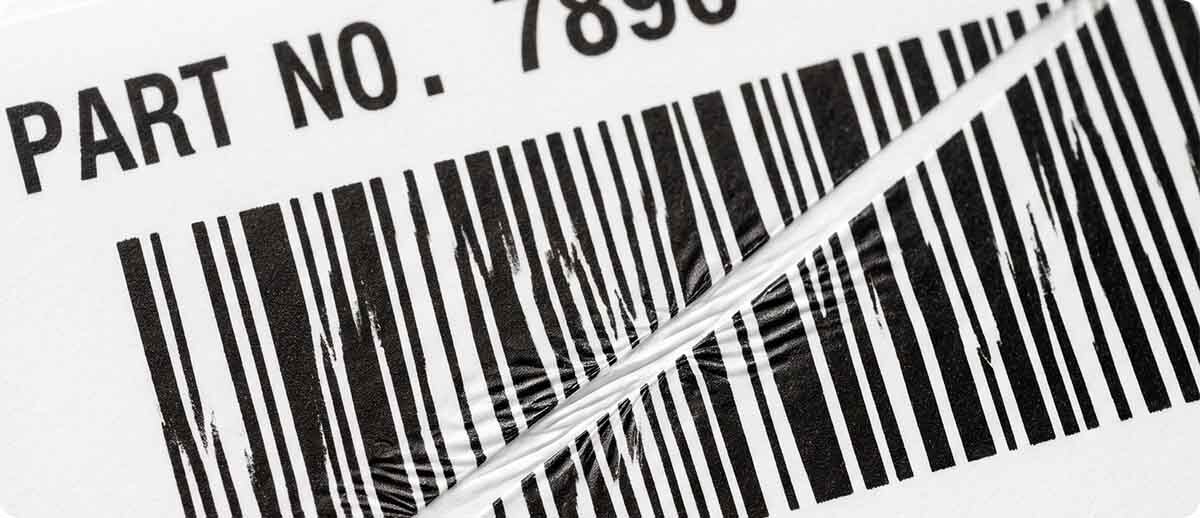
Ribbon wrinkle is what happens when the thermal transfer ribbon creases, folds, or bunches as it passes through the print path. Instead of laying flat against the label surface and separating cleanly after the printhead applies heat, the ribbon distorts. The ink transfers inconsistently across the fold, leaving white or under-printed diagonal lines or streaks in the areas where the ribbon was not in flat contact with the label. In a solid black area, the fold shows up as a light or white slash. In a barcode, it shows up as a gap in a bar that can make the code unscannable.
The diagnostic confusion is understandable. A white vertical line running straight down the label from top to bottom is a dead heating element on the printhead. A white diagonal line crossing the label at an angle is ribbon wrinkle. Same visual appearance, completely different cause, completely different fix. Cleaning a printhead or ordering a replacement does not address a ribbon path tension problem, and diagnosing the two correctly before acting is the difference between a five-minute adjustment and an unnecessary expense.
This guide covers what wrinkle physically is, what it damages in the printer over time, the six causes that drive it in thermal transfer printers, and the specific fix for each one.
What Ribbon Wrinkle Actually Is
Thermal transfer ribbon is a thin multi-layer film: a polyester base carrier, an ink layer (wax, wax-resin, or resin), and a backcoat on the opposite side that lubricates the printhead and reduces static. The ribbon travels from the supply spindle, across the printhead where heat transfers the ink to the label, and onto the take-up spindle. The entire system depends on the ribbon laying flat, tracking straight, and maintaining consistent tension from supply to take-up.
When something in that system is off, the ribbon does not travel flat. It buckles under uneven tension, folds under excessive heat, bunches at the edges where it overhangs the media, or pulls unevenly across its width because of asymmetric printing stress. The fold or buckle is the wrinkle. The area of the label under the fold receives no ink, or receives distorted ink transfer, and the white diagonal line appears on the printed output.
Wrinkle severity ranges from occasional faint diagonal marks that are barely visible on solid areas to severe folds that cross the entire barcode zone and render every label unscannable. Mild wrinkle often goes unreported because workers compensate for occasional scan failures without connecting them to a printer setting. Severe wrinkle is immediately obvious and stops the print operation. Both are fixable once the cause is correctly identified.
What Ribbon Wrinkle Damages
The immediate damage is the label. Barcodes that do not scan, solid areas with voids, text with gaps. But wrinkle that is not corrected promptly causes damage to the printer hardware that outlasts the bad labels.
Printhead contamination. When the ribbon wrinkles and the folded area contacts the printhead under heat, the wax or resin ink in the fold melts onto the printhead face rather than transferring cleanly to the label. This leaves a residue called ribbon burn-back: a sticky, carbonized buildup on the printhead surface that acts as an insulator between the heating elements and subsequent ribbon. The contamination degrades print quality further, accelerates heating element wear, and requires thorough cleaning to remove. Severe or prolonged wrinkle can bake ribbon residue into the printhead surface in a way that standard IPA wipes do not fully remove, reducing the printhead's effective service life.
Platen roller fouling. The platen roller is the rubber roller directly below the printhead that presses the media against the printhead and drives the label through the printer. When a ribbon fold reaches the nip point between the printhead and the platen roller, it deposits wax or resin residue on the roller surface. This buildup is insulating and sticky. It creates uneven contact between the roller and the media, which further degrades print quality by introducing its own pressure variation, and it attracts subsequent ribbon debris that compounds the buildup over time. A fouled platen roller that is not cleaned eventually needs replacement.
Ribbon breakage. A wrinkle creates a stress concentration in the ribbon film at the fold point. The polyester base carrier is thin, and a tight fold under print path tension subjects it to tensile and shear stress simultaneously. Severe wrinkle frequently results in ribbon breakage mid-run, which stops production, requires clearing the broken ribbon from the print path, and wastes the remaining ribbon on the supply spindle if the break occurs early in the roll. Repeated breakage at the same point in a print run indicates a consistent mechanical cause rather than a random event.
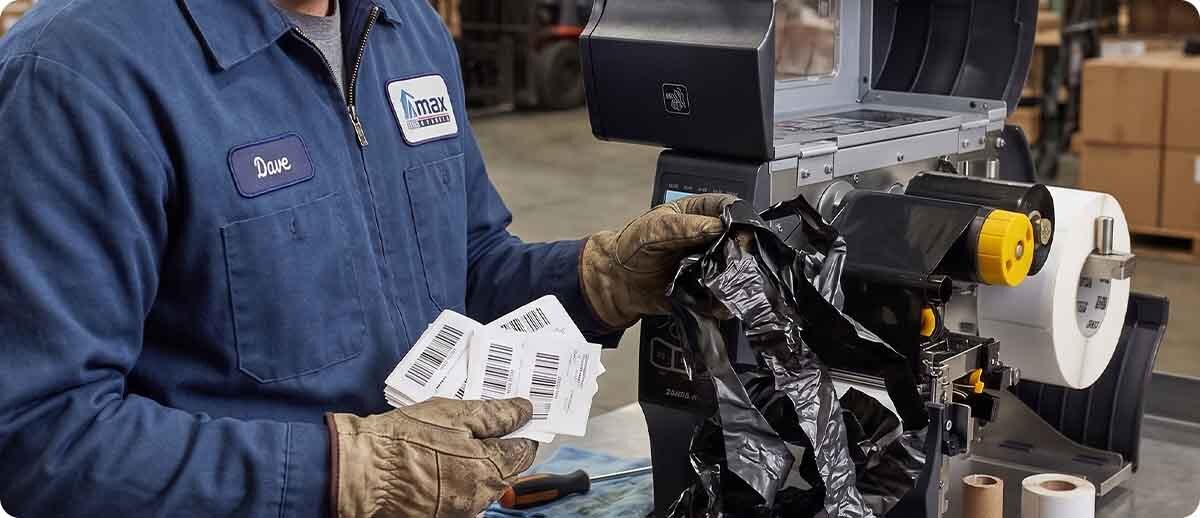
Media jams. When a ribbon breaks, the loose film can fold back into the print path and jam against the label stock, the media guide, or the cutter mechanism. Clearing a ribbon-and-media jam from a thermal transfer printer requires opening the printer, carefully removing both the broken ribbon and the jammed media without tearing either against the printhead, and inspecting the print path for ribbon debris before reloading. In high-volume operations, a mid-run ribbon break and jam is a meaningful downtime event.
The Six Root Causes and How to Fix Each One
Cause 1: Incorrect Ribbon Tension
Ribbon tension is the most common cause of wrinkle and the one that changes most often during normal operation. The ribbon must maintain consistent tension from the supply spindle through the print zone to the take-up spindle. Too little tension on the supply side allows the ribbon to sag and fold before it reaches the printhead. Too much tension on either spindle pulls the ribbon unevenly across its width, creating asymmetric stress that folds the ribbon toward the tighter side.
Tension problems become more pronounced as the ribbon roll empties. A full supply roll has different rotational inertia than a nearly empty one, and a take-up spindle that is half full of wound ribbon provides different back-tension than an empty spindle. Tension settings that produce clean output at the start of a roll may produce wrinkle toward the end.
The fix: On printers with adjustable ribbon tension knobs or settings (ZT411, ZT421, ZT610, ZT620, and most industrial Zebra and Honeywell printers), adjust the supply and take-up tension incrementally while running test labels. The goal is the minimum tension that keeps the ribbon tracking straight without slack. If wrinkle appears consistently toward the end of large rolls, reduce supply tension slightly to compensate for the change in roll inertia. Verify that the ribbon spindles are clean and rotate freely, since a sticky or binding spindle creates the same effect as a tension mismatch.
Cause 2: Ribbon Wider Than the Label Media
Thermal transfer ribbon should be the same width as the label media or slightly wider, typically no more than a quarter inch wider on each side. When ribbon is significantly wider than the media, the portion of the ribbon overhanging the media edge has no label surface to transfer to and no platen roller support beneath it. This unsupported ribbon margin bunches or folds against the edge of the media guide or the platen roller end, creating a fold that propagates inward across the ribbon and appears as a diagonal line on the label.
The fix: Confirm that the ribbon width matches the label width. If you have switched to narrower media without changing the ribbon, order ribbon sized appropriately for the new media width. TPS carries Zebra thermal transfer ribbons in multiple widths for exactly this reason. Running a 4.33-inch ribbon on 2-inch wide media is a sizing mismatch that wrinkle will announce consistently.
Cause 3: Excessive Heat (Darkness Setting Too High)
When the darkness setting is higher than the ribbon and media combination requires, the printhead applies more heat per dot than necessary. The excess heat melts a larger area of ribbon ink than the dot it is supposed to transfer, and the over-melted ink creates a drag force between the ribbon and the label surface. As the label advances and the ribbon is supposed to separate cleanly, this drag pulls the ribbon forward faster than the supply spindle releases it, creating a micro-buckle that appears as wrinkle on the label output.
The excess heat also softens the ribbon's polyester base carrier slightly, reducing its dimensional stability and making it more susceptible to folding under tension. This is why running darkness significantly above the necessary level for a given ribbon type accelerates wrinkle even when tension and alignment are correct.
The fix: Reduce the darkness setting incrementally, running a test label after each reduction, until wrinkle stops while print quality remains acceptable. The correct darkness for any ribbon and media combination is the lowest setting that produces complete, clean ink transfer. Wax ribbons such as the Zebra 6000 series require the least heat. Wax-resin ribbons such as the Zebra 5555 series require more. Full resin ribbons such as the Zebra 5095 series require the most. If you have recently switched ribbon types and wrinkle appeared after the change, the darkness setting calibrated for the previous ribbon is a likely cause.
Zebra Thermal Transfer Ribbons at Thermal Printer Supplies
06000BK11045 — Zebra 6000 Wax, 4.33" x 1,476' | Lowest heat requirement | General warehouse, shipping, receiving
06000BK11045-EA — Zebra 6000 Wax, 4.33" x 1,476' (single roll)
05555BK11045 — Zebra 5555 Wax-Resin, 4.33" x 1,476' | Medium heat requirement | Coated paper and light synthetic stock
05095BK11045 — Zebra 5095 Full Resin, 4.33" x 1,476' | Highest heat requirement | Synthetic label stock, chemical and outdoor applications
Shop Zebra Ribbons →Cause 4: Print Speed Too High for the Ribbon Type
Every ribbon type has a maximum effective print speed beyond which the ink does not have adequate dwell time under the printhead to transfer cleanly. At print speeds above the ribbon's effective range, two things happen: the ink is only partially transferred (which manifests as light print), and the rapid ribbon advance through the print zone creates a turbulence effect that causes the ribbon to flutter and fold microscopically as it exits the print nip. This flutter is a form of wrinkle that appears as faint, irregular diagonal marks across the label rather than the sharp diagonal lines that tension wrinkle produces.
Wax ribbons are the most speed-sensitive because their ink layer is softer and more susceptible to the turbulence effect at high speeds. Full resin ribbons are more dimensionally stable and tolerate higher speeds better. If wrinkle appears or worsens when print speed is increased, speed is a likely contributing cause.
The fix: Reduce print speed and run a test label. If wrinkle decreases or disappears at a lower speed, the original speed was above the effective range for that ribbon type. Find the highest speed at which wrinkle is absent and print quality is acceptable, and set that as the operating speed. If throughput requirements make a lower speed unacceptable, evaluate whether switching to a higher-grade ribbon (wax-resin instead of wax, for example) allows the required speed without wrinkle.
Cause 5: Uneven Printhead Pressure
The printhead must apply even pressure across the full width of the label and ribbon to produce consistent ink transfer and consistent ribbon separation. Most industrial Zebra and Honeywell printers have adjustable printhead pressure mechanisms with independent left and right adjustment points. When these are not set correctly for the media width, one side of the printhead applies more force than the other. The ribbon is pulled more aggressively on the high-pressure side, creating a tension imbalance across the ribbon width that causes it to fold toward the lower-pressure side.
Uneven pressure also causes uneven print darkness across the label width, which is a useful diagnostic indicator. If the left side of the label prints darker than the right, the left printhead pressure toggle is set higher. The wrinkle will typically originate from the higher-pressure side and angle toward the lower-pressure side.
The fix: Consult the service guide for your specific printer model to locate the printhead pressure adjustment mechanism. On ZT-series industrial Zebra printers, the pressure toggles are accessible with the top cover open and are adjusted by rotating the spring-loaded pressure blocks toward or away from the printhead bracket. Center the pressure across the label width and adjust incrementally until both sides print at equal darkness and wrinkle stops. The correct pressure is the minimum that produces complete, even ink transfer across the full label width.
Cause 6: Label Design Imbalance (The Cause Nobody Talks About)
This is the least obvious cause of ribbon wrinkle and the one that catches even experienced operators off guard. When a label format has all or most of its printed content concentrated on one side of the label, the ribbon experiences asymmetric ink melt stress across its width. The side of the ribbon over the heavily printed area melts significantly more ink than the side over the blank area. When the ink melts and transfers, it creates a momentary bond between the ribbon and the label on the printed side. The non-printed side has no such bond. As the label advances and the ribbon peels away from the label surface, the printed side peels with more resistance than the blank side, creating a diagonal tension gradient across the ribbon that causes it to fold.
A useful analogy: lay a towel flat on the floor and step on one end with your foot. Then try to pull the other end of the towel straight up. The towel wrinkles toward the side your foot is on. Your foot represents the bonded area of the printed image. The wrinkle migrates toward the side with the most printing.
The fix: If wrinkle appears on labels with heavy printing concentrated on one side and the settings adjustments above do not resolve it, review the label format design. Distributing printed content more evenly across the label width, splitting a left-aligned layout into a more balanced arrangement, or rotating certain elements can reduce the asymmetric peel stress enough to eliminate wrinkle without any printer hardware adjustment. If the label format cannot be changed, a slight reduction in darkness (to reduce the ink bond strength) and a slight reduction in print speed (to allow more uniform peeling) may help manage the problem without redesigning the label.
The Diagnostic Sequence: Work Through This Before Ordering Parts
When ribbon wrinkle appears, work through the following sequence before concluding that hardware needs to be replaced or serviced. Each step rules out one cause and moves you closer to the actual root cause.
| Step | What to Check | If This Is the Cause |
|---|---|---|
| 1 | Confirm ribbon width matches label width (ribbon should be equal to or very slightly wider than media) | Order correct ribbon width for current media |
| 2 | Reduce darkness by 2 to 3 steps, run test label | Wrinkle reduces or stops — heat was the cause, calibrate to correct darkness |
| 3 | Reduce print speed by 2 ips, run test label | Wrinkle reduces or stops — speed was the cause, find maximum clean speed |
| 4 | Adjust ribbon tension on supply and take-up spindles, run test label at each adjustment | Wrinkle reduces at a specific tension setting — tension was the cause |
| 5 | Check printhead pressure — does darkness vary left to right across the label? | Adjust pressure toggles until darkness is even across full label width |
| 6 | Review label design — is most content concentrated on one side of the label? | Redistribute label content or reduce darkness and speed to manage peel stress |
| 7 | Clean printhead and platen roller with IPA wipe, inspect for ribbon residue or debris in print path | Wrinkle was caused by debris creating uneven ribbon contact — clean resolves it |
If you have worked through all seven steps and wrinkle persists, the problem is likely a hardware issue: a worn or flat-spotted platen roller that creates uneven nip pressure, a damaged ribbon supply or take-up spindle that does not rotate smoothly, or a printhead bracket that is not seating level. At that point the repair is a parts replacement, not a settings adjustment.

Frequently Asked Questions: Ribbon Wrinkle
The wrinkle only appears at the end of a ribbon roll. What causes that?
This is a classic tension signature. A full ribbon roll on the supply spindle has much greater rotational inertia than a nearly empty one. As the roll depletes, less ribbon is left on the supply core and the spindle tension changes. If the tension was calibrated for a full roll, it may be too tight or too loose for a depleted roll, producing wrinkle that was absent earlier in the print run. The fix is to reduce the supply-side tension slightly so it produces correct tension across the full range of roll depletion. Some operations establish a setting that is a compromise between beginning-of-roll and end-of-roll behavior, accepting very minor quality variation at the extremes in exchange for stable overall performance.
We recently changed ribbon brands and now we have wrinkle. Is the new ribbon defective?
Almost certainly not. Different ribbon formulations from different manufacturers have different thermal transfer characteristics, different base film stiffness, and different backcoat properties. A darkness and speed combination calibrated for one brand of wax ribbon may produce wrinkle on a different brand of wax ribbon because the second brand transfers at a slightly lower temperature, making the existing darkness setting too high. The same goes for backcoat differences that change how the ribbon slides across the printhead. When changing ribbon brands, always recalibrate darkness and speed with the new ribbon before attributing problems to ribbon quality. In most cases the new ribbon is fine and the settings just need adjustment.
Can ribbon wrinkle permanently damage the printhead?
Yes, over time. The ribbon burn-back residue that wrinkle deposits on the printhead face is abrasive when subsequent ribbon passes over it and insulating to the elements beneath it. Repeated wrinkle events without cleaning progressively accumulate residue that degrades heat transfer efficiency, requiring higher darkness settings to compensate, which produces more burn-back in a compounding cycle. Severe ribbon breakage during wrinkle can also cause the ragged end of the broken ribbon to scratch the printhead face if it drags across the elements under tension. Cleaning the printhead immediately after any wrinkle event that produces visible residue reduces the long-term damage risk significantly.
We print the same label format every day and wrinkle appears randomly, not consistently. What does that mean?
Random wrinkle that is not consistent within a print run or across print runs usually points to a supply chain variable rather than a printer settings issue. The most common candidates are inconsistent label stock quality (batch-to-batch variation in paper surface smoothness or coating weight), inconsistent ribbon quality (variation in backcoat coverage or base film thickness within or between roll batches), or environmental changes such as humidity variations that affect ribbon and label dimensional stability. If the wrinkle is genuinely random across otherwise identical print conditions, evaluate the supplies before the printer. Switching to Zebra-certified supplies with documented batch-to-batch consistency is the most reliable way to eliminate supply variation as a variable.
Ribbon wrinkle that does not respond to the standard adjustments, or that has caused printhead or platen roller contamination that needs attention, is worth getting expert eyes on before the damage compounds. Our team has diagnosed and resolved ribbon wrinkle problems across Zebra, Honeywell, Datamax, and Intermec printer platforms, and we carry the ribbons, platen rollers, and printheads to address whatever the root cause turns out to be. Fill out the form below and let's get your printer running clean.