
The Platen Roller: The Overlooked Part That Wrecks Print Quality When It Fails
Posted by Thermal Printer Supplies on May 21st 2026
By Thermal Printer Supplies | Printer Maintenance | Platen Roller Diagnostic and Replacement Guide
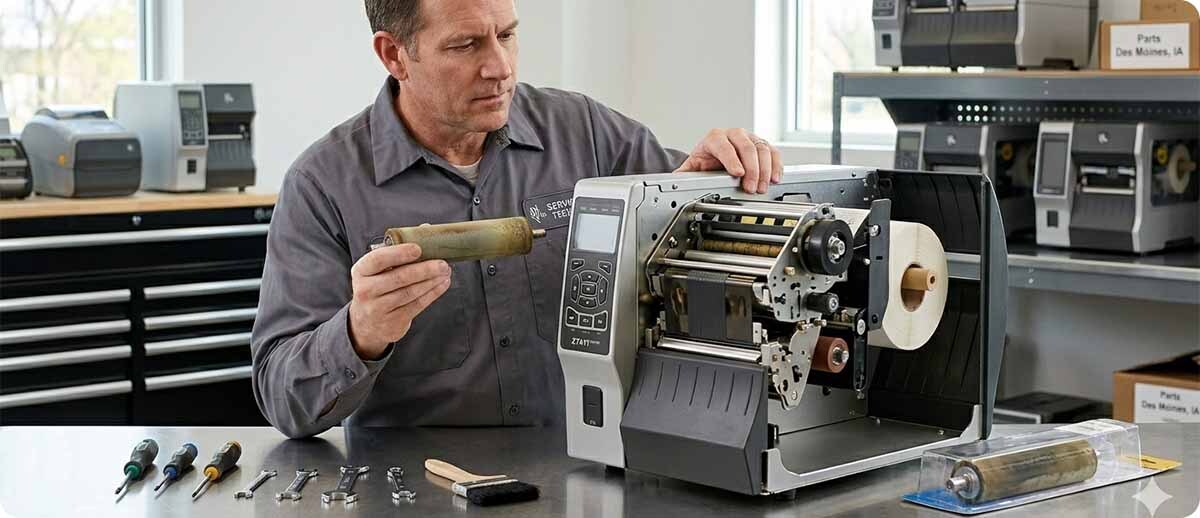
The printhead gets all the attention in thermal printer maintenance conversations. It is the most expensive consumable, it is the component most directly associated with print quality, and there is a well-established body of guidance on how to clean it, how to extend its life, and when to replace it. The platen roller gets almost none of that attention despite the fact that it is equally essential to print quality and that its failure modes are some of the most commonly misdiagnosed problems in thermal printer troubleshooting.
A platen roller that is dirty, worn, or damaged produces print quality symptoms that are indistinguishable from printhead problems to anyone who has not been specifically told to check the roller. Operations replace printheads that did not need replacing, spend $200 to $600 on a new printhead, and then discover the problem persists because the actual cause was a $30 to $80 platen roller. This happens regularly and it is entirely preventable with the right diagnostic sequence.
What Does a Platen Roller Do in a Thermal Printer?
The platen roller is a cylindrical rubber roller positioned directly below the printhead in the print path. It serves two simultaneous functions, and both of them are critical to print quality.
The first function is to press the label media against the printhead. The heating elements on the printhead transfer ink from the ribbon to the label surface in thermal transfer printing, or activate the heat-sensitive coating on the label face in direct thermal printing. For that transfer to happen correctly and consistently, the label must be in uniform, firm contact with the printhead across its full width. The platen roller provides that contact by pressing upward against the label from below while the printhead presses downward from above. The label is sandwiched between them under controlled pressure.
The second function is to drive the label through the print path. The platen roller is motorized. It rotates as the label feeds through the printer, advancing the media at a precise, consistent rate that determines where each dot of the printed image lands relative to the dots that came before it. If the roller turns too fast, too slow, or unevenly, the label advances at an inconsistent rate and the printed image is distorted, stretched, or compressed.
Both functions depend on the roller maintaining its physical integrity. A roller that is uniformly smooth, cylindrical, and free of surface deposits performs both functions correctly. A roller that has worn unevenly, developed a flat spot, accumulated adhesive residue, or hardened with age fails at both functions in ways that produce specific and identifiable print quality symptoms.
How to Tell if the Platen Roller Is the Problem
What does a failing platen roller look like on a printed label?
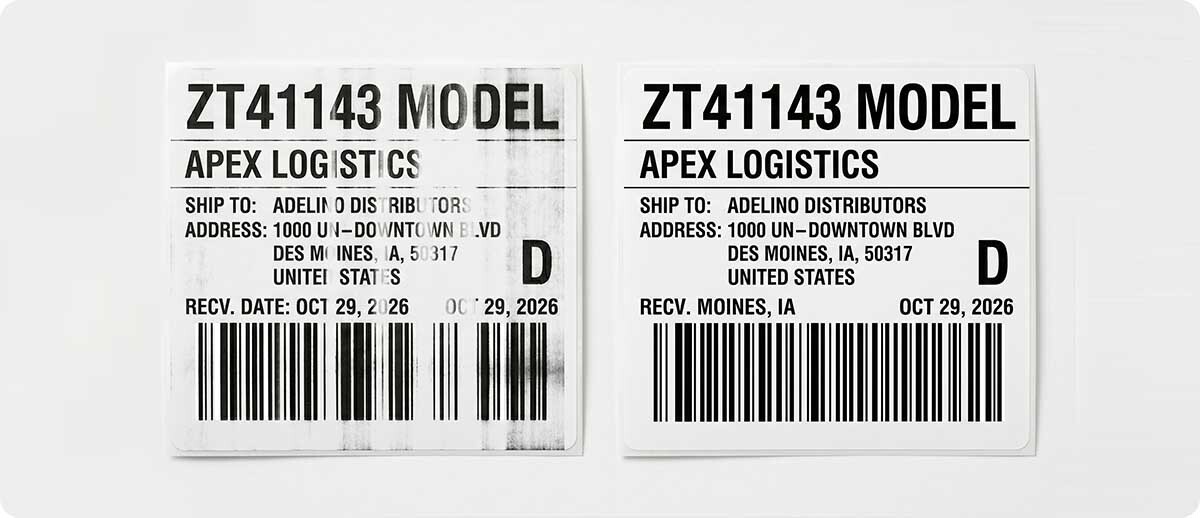
The print quality symptoms of a failing platen roller overlap significantly with printhead symptoms, which is why the misdiagnosis happens so frequently. The key is understanding which symptoms are caused by what mechanism, because the pattern of the problem often reveals the source.
Uneven darkness across the label width, where one side is darker than the other. This symptom is caused by uneven pressure across the print zone. If the platen roller has worn unevenly, or if adhesive residue has built up more heavily on one side, the pressure between the roller and the printhead varies across the width. The side with higher pressure produces darker output. The side with lower pressure produces lighter output. This symptom also occurs with printhead pressure adjustment problems, but if the pressure adjustment is correctly set and the symptom persists, the platen roller surface is the more likely cause.
Random voids or light patches that appear at irregular intervals rather than a consistent position. A consistent white streak at the same position on every label is a dead heating element on the printhead. A random void that appears at different positions on different labels is more likely a platen roller problem. Adhesive deposits on the roller surface create local areas of reduced pressure where the label does not contact the printhead fully. As the roller turns, those deposits cycle through the print zone at different positions relative to the printed image, producing voids that appear to move or that are inconsistent between labels.
Labels that feed at an inconsistent rate, producing image compression or stretch. If the printed image looks correct in some areas and compressed or stretched in others, the roller is not advancing the media at a consistent rate. A flat spot on the roller produces a brief change in feed rate once per revolution of the roller. The compressed or stretched area appears at a regular interval that corresponds to the circumference of the roller. This is one of the most distinctive platen roller signatures and does not occur from printhead problems.
Labels that track sideways or drift off center during printing. The platen roller must contact the label evenly across its full width to drive the media straight through the print path. A roller that has worn more on one side, or that has debris concentrated on one side, pulls the label toward the side with more traction. Labels print slightly off-center, or the edge of the label curls toward one side as it exits the printer.
The problem gets worse as the printer warms up or after extended printing. Rubber platen rollers can change their surface characteristics as they heat up during operation. A roller that appears to work adequately during the first few labels of a print run but produces progressively worse output as the printer reaches operating temperature is exhibiting thermal behavior consistent with rubber degradation, particularly hardening. This symptom is rare with printhead issues and is a strong indicator of roller condition.
How do you confirm the platen roller is the cause before ordering a replacement?
The fastest field confirmation is a visual and tactile inspection. With the printer powered off and the print head lifted, look at the platen roller surface directly. Run a clean, gloved finger along the roller surface across its full width. A healthy platen roller is uniformly smooth, slightly tacky to the touch from the rubber compound, and consistent in texture from end to end. A roller with adhesive deposits feels sticky or gummy in specific spots. A hardened roller feels smooth and hard rather than slightly yielding. A roller with physical damage shows visible scoring, flat spots, or surface irregularities.
Rotate the roller by hand while looking at it from the end. It should rotate smoothly without wobble. Any wobble, resistance, or uneven rotation suggests bearing or shaft wear that may be contributing to the feed inconsistency.
Clean the roller thoroughly with an IPA wipe and run a test label. If the print quality improves after cleaning, adhesive residue was the cause and the roller does not yet need replacement. If the print quality problem persists after thorough cleaning on confirmed-good media, replacement is indicated.
What causes platen roller problems in the first place?
Adhesive residue accumulation. This is the most common cause of platen roller print quality problems. Label adhesive migrates from the label backing to the roller surface over time, particularly when labels are running without a liner (linerless printing), when adhesive is exposed at label edges or gaps, or when labels are die-cut and the waste matrix is not fully removed. The deposits accumulate in a pattern that corresponds to the label gap or adhesive exposure pattern, creating periodic contact variations as the roller turns. Regular cleaning with an IPA wipe removes these deposits before they affect print quality. Most roller replacement decisions made without cleaning first are premature.
Rubber hardening from age and heat cycles. The rubber compound in a platen roller is formulated to maintain consistent surface properties across a range of operating temperatures. Over years of heat cycles from normal printing operation, the rubber gradually loses its elasticity and hardens. A hardened roller no longer conforms slightly to the label surface to distribute contact pressure evenly. The contact becomes less consistent, pressure distribution becomes uneven, and print quality degrades in ways that cleaning cannot address. This is an age and volume-related failure mode rather than a maintenance failure.
Physical damage from media jams or foreign objects. A label jam that requires manually pulling media from the print path, particularly if the printer is powered on during the jam clearance, can score or deform the roller surface. Small pieces of label debris, dirt, or foreign objects that enter the print path can also damage the roller surface. Physical damage is immediately visible on inspection and is not improved by cleaning. The roller needs replacement.
Flat spots from extended idle periods. A printer that sits idle for extended periods with the printhead closed and pressing on the platen roller can develop a flat spot at the contact point. The rubber deforms slightly under the sustained load and does not fully recover. When the printer is put back into service, the flat spot produces a periodic print quality variation once per roller revolution. This is most common in seasonal operations or printers that are shut down for weeks or months at a time. Parking the printhead in the open position during extended idle periods prevents this.
Clean or Replace: The Decision Framework
| Symptom / Condition | First Response | Replace If |
|---|---|---|
| Sticky or gummy deposits visible on roller surface | Clean with IPA wipe | Deposits return immediately or problem persists after cleaning |
| Roller feels hard, smooth, and non-yielding | Clean and test | Hardening is age-related — cleaning will not restore elasticity |
| Visible flat spot, scoring, or surface damage | Replace — cleaning cannot restore physical damage | N/A |
| Wobble or resistance when rotated by hand | Replace — bearing or shaft wear, not a cleaning issue | N/A |
| Print quality improves after cleaning but degrades quickly | Investigate label adhesive migration source | If cleaning cycle is too frequent to sustain, replace and address media source |
| Printer has been idle for months with head closed | Run several hundred labels to allow roller to condition | If periodic void pattern persists after conditioning run, flat spot is permanent |
How to Replace a Platen Roller
Is platen roller replacement a field procedure or does it require depot service?
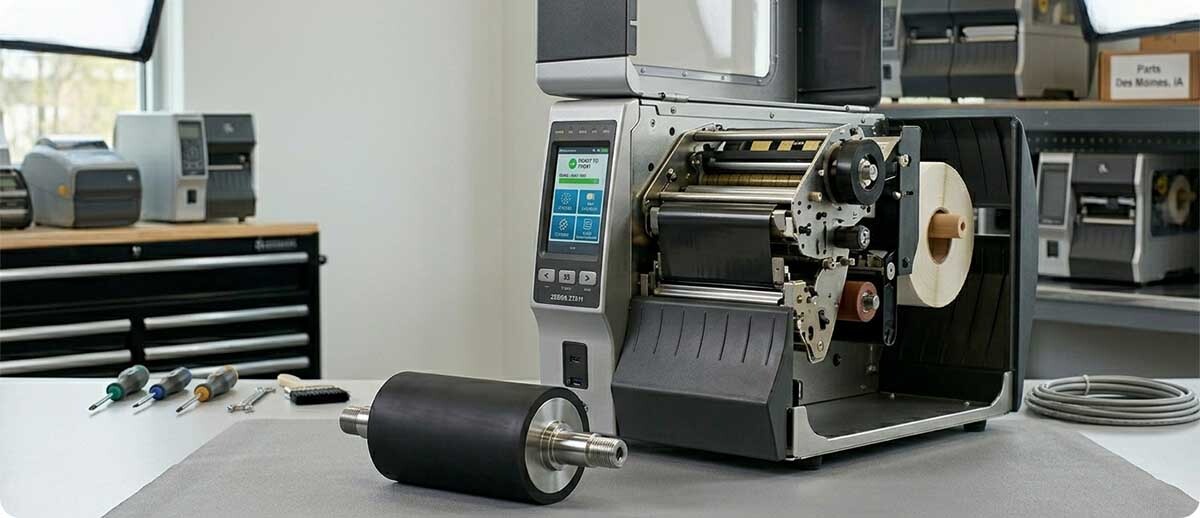
On most current Zebra desktop and industrial printers, the platen roller is a field-replaceable component. The replacement procedure does not require special tools beyond what a printer operator typically has available, and Zebra's service documentation covers the procedure for each model. The complexity varies by printer model — desktop models like the ZD421 and ZD621 have relatively accessible roller replacement procedures, while some industrial models require removing additional covers or components to access the roller mounting.
The critical precautions for roller replacement are consistent across models: power the printer completely off before beginning, never touch the printhead surface with bare fingers during the procedure (skin oils accelerate element degradation), handle the new roller by its shaft rather than its rubber surface to avoid transferring contaminants, and verify the roller is fully seated in its mounting clips before closing the printer. A partially seated roller will not rotate correctly and will produce the same feed inconsistency symptoms as the worn roller it replaced.
After installation, run a calibration cycle before running production labels. The new roller has slightly different surface characteristics than the worn one it replaced, and the calibration ensures the printer correctly measures label length and sets feed thresholds for the changed media path geometry.
Platen Rollers at Thermal Printer Supplies
TPS sources platen rollers directly from Zebra Technologies — the same supply chain as our printheads. Every roller in our catalog is factory sealed, genuine OEM, and guaranteed to be new and uninstalled. We carry rollers for the full range of current and recently discontinued Zebra desktop and industrial models.
Zebra Industrial Printer Platen Rollers
P1058930-080 — ZT410 / ZT411 Platen Roller (203 DPI, 300 DPI, 600 DPI)
P1058930-081 — ZT420 / ZT421 Platen Roller (203 DPI, 300 DPI)
P1083347-012 — ZT510 Platen Roller (203 DPI, 300 DPI)
79815M — ZM400 Platen Roller (203 DPI, 300 DPI)
79816M — ZM600 Platen Roller (203 DPI, 300 DPI)
Shop Industrial Platen Rollers →Zebra Desktop Printer Platen Rollers
P1112640-216 — ZD421T Platen Roller (203 DPI, thermal transfer)
P1112640-061 — ZD421D / ZD621D Platen Roller (direct thermal)
P1112640-064 — ZD621D Linerless Platen Roller (300 DPI)
P1080383-414 — ZD620D Platen Roller (300 DPI)
Shop Desktop Platen Rollers →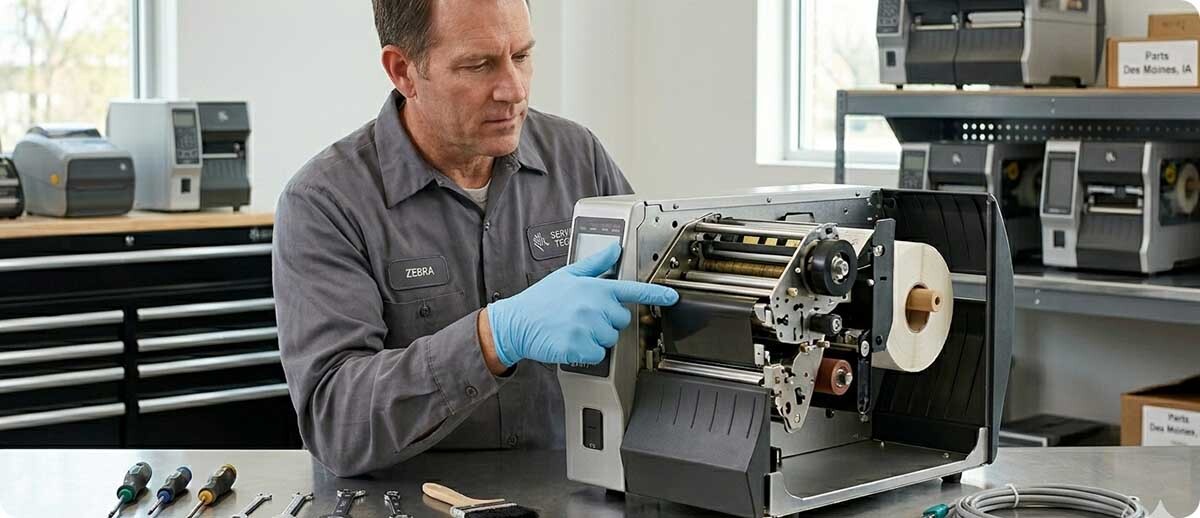
Frequently Asked Questions: Platen Rollers
How often should a platen roller be replaced?
There is no fixed replacement interval for platen rollers because service life depends heavily on daily print volume, media type, label adhesive characteristics, and maintenance frequency. A roller on a high-volume printer running adhesive-heavy media with infrequent cleaning may need replacement within 18 months. A roller on a moderate-volume printer running clean media with regular cleaning may last 4 to 5 years. The correct trigger for replacement is condition, not calendar time. Inspect the roller when you inspect the printhead, clean both at every roll change, and replace the roller when cleaning no longer restores print quality or when physical inspection reveals hardening, damage, or bearing wear.
My printer is producing random voids. I replaced the printhead and the problem persists. What should I check?
Random voids that persist after a printhead replacement are one of the clearest indicators of a platen roller problem. A printhead replacement addresses heating element issues. It does not address pressure distribution issues from a contaminated or degraded roller. Inspect the platen roller surface immediately. Look for adhesive deposits concentrated in specific areas, hardening across the full surface, or any physical damage. Clean the roller thoroughly with an IPA wipe and run a test label. If the voids clear, the roller was the problem. If they persist, the issue may be in the media itself, the ribbon, or the media sensor calibration rather than the roller or printhead.
Can I use any platen roller as a replacement, or does it have to match the specific model number?
Platen rollers are model-specific. The roller dimensions, shaft diameter, bearing type, and rubber hardness are all engineered for the specific print path geometry and pressure specifications of a given printer model. Installing a roller from a different model can result in incorrect pressure, improper feed rate, and potential mechanical damage to the print mechanism. Always use the part number specified for your exact printer model. If you are unsure which roller your printer requires, the model number on the printer nameplate is the starting point. TPS's team can confirm the correct part number for your specific configuration.
Does replacing the platen roller require recalibrating the printer?
Yes, running a calibration cycle after platen roller replacement is the correct practice. The new roller has slightly different surface texture and dimensional characteristics than the worn roller it replaced. These differences can affect how the media sensor detects label gaps and how the feed motor positions the label under the printhead. Running SmartCal on ZD-series printers or a Full Calibrate on ZT-series printers after roller installation ensures the printer has accurate measurements for the current media and the new roller's feed characteristics before production labels are run.
How do I prevent adhesive buildup on the platen roller?
The most effective prevention is cleaning the platen roller at every roll change, using the same IPA wipe used for printhead cleaning. Rotate the roller as you wipe it to ensure the full circumference is cleaned rather than just the section that faces upward when the printer is open. On printers running labels with high-tack adhesive or running linerless media where adhesive contacts the roller directly, more frequent cleaning may be necessary. Inspecting the roller visually at each cleaning catches buildup before it becomes a print quality problem. A roller that is cleaned consistently rarely needs early replacement from adhesive accumulation alone.
If you are troubleshooting a print quality problem and are not sure whether the printhead or platen roller is the source, our team can help you work through the diagnostic sequence before you order any parts. We carry genuine Zebra platen rollers for the full desktop and industrial lineup and can confirm the correct part number for your specific printer model. Fill out the form below and let us help you identify the right fix before spending on the wrong part.