
Receipt Printers vs. Label Printers at Checkout: What's the Difference and Which One Do You Actually Need?
Posted by Thermal Printer Supplies on Sep 9th 2026
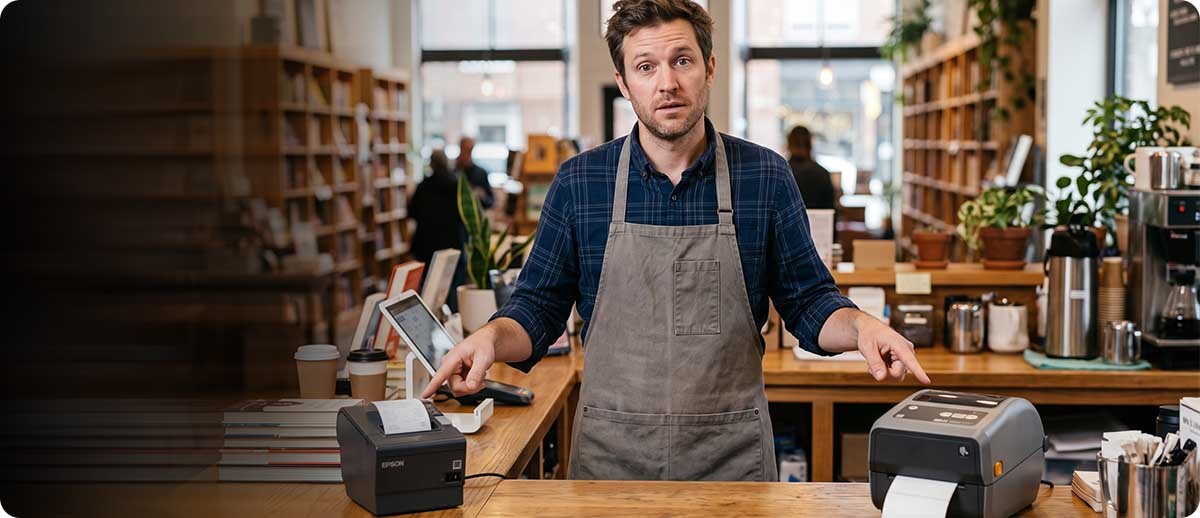
By Thermal Printer Supplies | POS & Receipt Printers | Retail Printing Buyer's Guide
This isn't a product recommendation list. It's the decision guide that comes before the product recommendation, because the first question isn't which receipt printer to buy. It's whether you need a receipt printer at all, or whether your application actually calls for a label printer at the checkout.
What Each Printer Type Is Actually Built For
What does a receipt printer do?
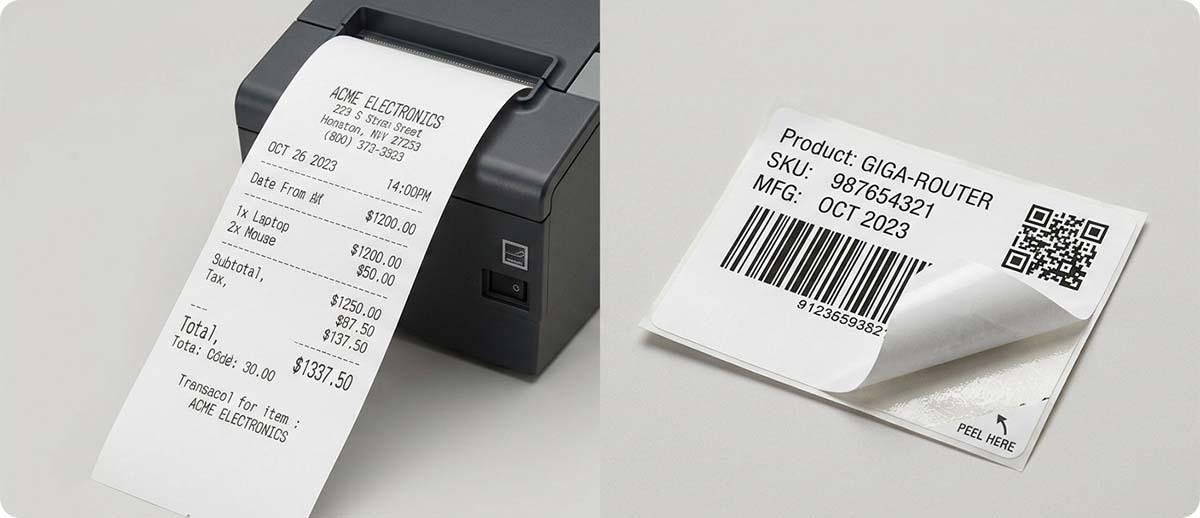
A receipt printer prints on continuous roll paper, usually 3 inches wide, that feeds through the printer and comes out as a printed strip. The paper is plain direct thermal paper with no adhesive backing. It has a knife or cutter that cuts each receipt to length after printing. The output is a paper slip that the customer takes with them or discards.
Receipt printers are designed for high-speed transaction printing. At a busy retail checkout or restaurant counter, a receipt printer can print a full transaction receipt in under two seconds. They connect to a POS system via USB, Ethernet, Bluetooth, or in some cases vendor-specific cloud printing protocols like Star's CloudPRNT. They typically have a cash drawer port for triggering a cash drawer to open at the end of a transaction.
Receipt printers are not designed to print labels. The paper has no adhesive. The format is continuous roll, not die-cut or gap-labeled. A receipt printer cannot produce a sticker, a price tag, a shipping label, or any other label that needs to stick to something.
What does a label printer do at a checkout?
A label printer at a checkout produces adhesive labels: price tags, product stickers, bag labels, produce labels, deli labels, order labels, or any output that needs to stick to something. Label printers use roll-based media with adhesive backing and come in direct thermal configurations for short-life labels or thermal transfer configurations for longer-lasting labels that need to survive refrigeration, moisture, or handling.
A label printer at a checkout is the right tool when the output needs to be applied somewhere rather than handed to the customer. A grocery store producing price labels for weighed items, a deli counter printing order tags, a restaurant printing bag labels for takeout orders, a pharmacy printing prescription labels at a drive-through window are all label printer applications at or near a point of sale.
Can you use a label printer to print receipts?
Technically yes, but it's the wrong tool for the job. A label printer printing on receipt-width label stock produces output that's narrower than a standard receipt, printed on adhesive-backed material, and costs significantly more per foot than standard receipt paper. Label printer media is also typically purchased in shorter rolls than receipt paper, requiring more frequent roll changes at a busy counter. If you need customer receipts, use a receipt printer. Label printers are not a substitute.
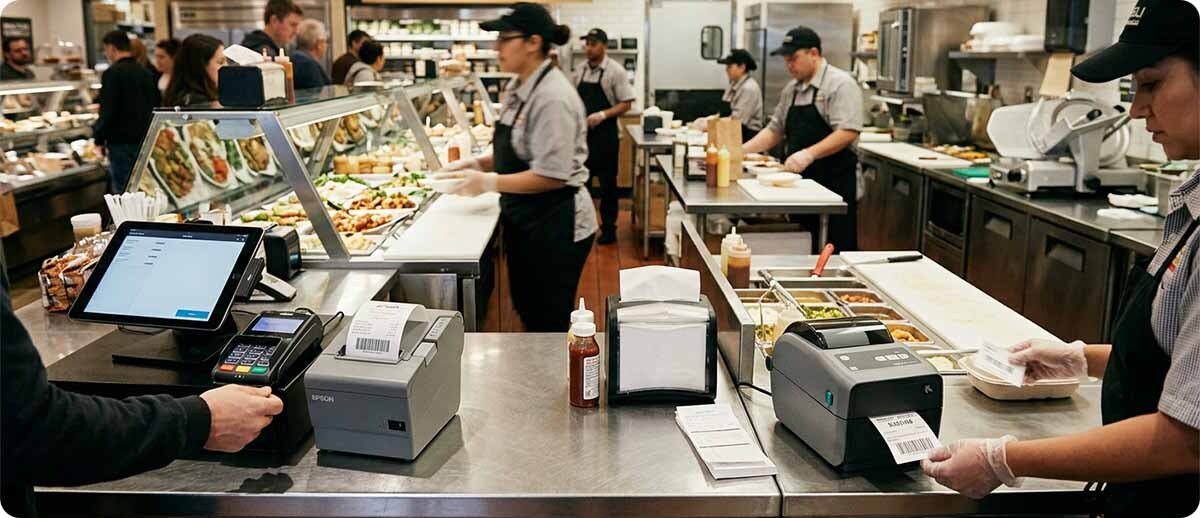
Which One Do You Need?
How do you know which printer type fits your checkout?
Start with what the output does after it prints. If it gets handed to the customer or discarded after the transaction, it's a receipt application and you need a receipt printer. If it gets applied to a product, a bag, a box, or anything else, it's a label application and you need a label printer.
Some checkout environments need both. A grocery store with a deli counter might need a receipt printer at the main checkout lane for customer receipts and a label printer at the deli counter for order tags and bag labels. A quick-service restaurant might need a receipt printer for customer receipts and a separate label printer for bag labels on takeout orders. These are separate tools doing separate jobs, not one printer doing both.
| Your Application | Right Printer |
|---|---|
| Customer receipts at retail checkout or restaurant | Receipt printer |
| Order tickets in a kitchen or prep area | Receipt printer |
| Price tags or stickers for weighed items at deli or produce | Label printer |
| Bag labels or order stickers for takeout or delivery | Label printer |
| Pharmacy prescription labels at drive-through or counter | Label printer |
| Event or admission tickets | Receipt printer (ticket paper) |
| Both customer receipts and bag labels at same counter | Both (separate printers) |
Receipt and POS Printers at TPS
Star Micronics TSP143III: the most deployed receipt printer in retail
The Star Micronics TSP143III is the successor to the TSP100 series and one of the most widely used receipt printers in retail and hospitality globally. It prints at speeds up to twice the TSP100 and includes a de-curl function that keeps receipts flat rather than curled, which is one of those small things that turns out to matter a lot in high-volume environments where curled receipts create handling friction at the counter.
Connectivity options include USB, Bluetooth, LAN Ethernet, and WLAN, so it integrates with virtually any POS system configuration. The WLAN and LAN versions have a web configuration page for simplified setup. The USB version includes a USB serial number feature that lets Windows detect it on any USB port without driver conflicts. For a retail or hospitality checkout where the primary output is customer receipts and the printer needs to connect reliably to a POS terminal, the TSP143III is the safe, proven choice.
Star Micronics TSP143III Receipt Printer
3-inch | Direct thermal | USB, LAN, BT, WLAN options | Auto-cutter | Cash drawer port | Retail, hospitality, quick service
39472410: USB + Lightning, white
39463430: USB, ice white
39464910: Ethernet (LAN), gray
Shop Star TSP143III →Star Micronics mC-Print3: the compact modern POS printer
The mC-Print3 is 40 percent smaller than the TSP654II it positions against, making it the right choice when counter space is limited or the printer needs to sit in a tight POS setup. Despite the smaller footprint it supports five connectivity options simultaneously: USB, Lightning, Bluetooth, LAN, and CloudPRNT/WebPRNT, meaning it doesn't require choosing a single connection type at purchase and can adapt to changes in the POS setup without replacing the printer.
The IPX2 splash-proof rating is worth noting for food service environments where the counter gets wet. The front-loading paper design makes roll changes simple in an active counter environment. CloudPRNT support enables printing from cloud-based POS platforms, which matters for modern tablet-based and cloud-native POS systems that don't rely on traditional local driver connections.
Star Micronics mC-Print3 Receipt Printer
3-inch | Direct thermal | USB + LAN + BT + WLAN + CloudPRNT | IPX2 splash-proof | Front-loading | Compact footprint
39654110: LAN + USB + CloudPRNT, black
37950400: WLAN + BT + USB + CloudPRNT, black
Shop Star mC-Print3 →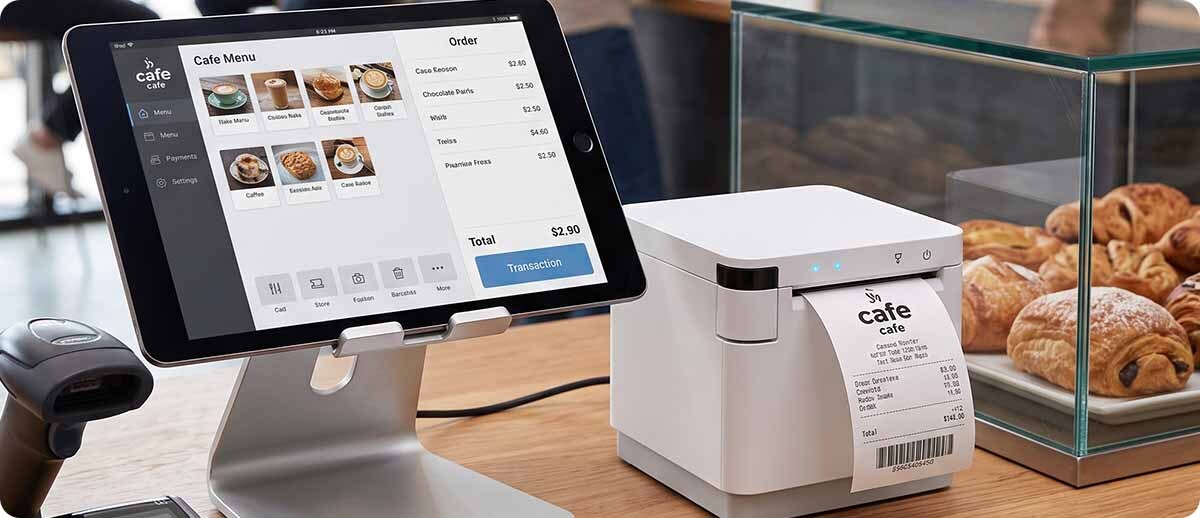
Quick Questions
We use Square or Shopify POS. Will these receipt printers work with it?
Star Micronics printers including the TSP143III and mC-Print3 are on the official compatibility lists for both Square and Shopify POS. Star's hardware has broad POS platform support across most major cloud and tablet-based systems. Bixolon has strong compatibility across major POS platforms as well. Before ordering, confirm the specific connectivity configuration you need for your POS setup since USB, Bluetooth, Ethernet, and WLAN configurations may work differently depending on how your POS system communicates with the printer.
What receipt paper do these printers use?
All three printers above use 3.125-inch (80mm) wide direct thermal receipt paper, the standard size for modern POS receipt printers. Paper is sold in rolls and TPS carries receipt paper to match. Receipt paper for direct thermal printers has a heat-sensitive coating on one side. Make sure to load with the coated side facing the printhead or the receipt will come out blank. This is the most common setup issue with new receipt printer installations and is easy to fix by flipping the roll.
We currently use a Zebra ZD421 for receipts. Should we switch to a dedicated receipt printer?
The ZD421 can print on continuous receipt-width label stock, and some operations use it this way, but it's not the optimal setup. A dedicated receipt printer like the TSP143III prints faster at receipt widths, costs significantly less per roll of paper than label stock, has a cash drawer port the ZD421 doesn't, and is designed specifically for the transaction-speed requirements of a checkout counter. If you're using a ZD421 for customer receipts, a dedicated receipt printer would do that job better and at lower ongoing supply cost.
If you're not sure whether you need a receipt printer, a label printer, or both for your checkout setup, fill out the form below and describe what you're printing at the counter. We can tell you which product category fits your application and point you to the right model before you order the wrong thing.