
Printhead Replacement Guide: When to Replace, When to Clean, and What Each Zebra and Honeywell Head Actually Costs
Posted by Thermal Printer Supplies on Apr 27th 2026
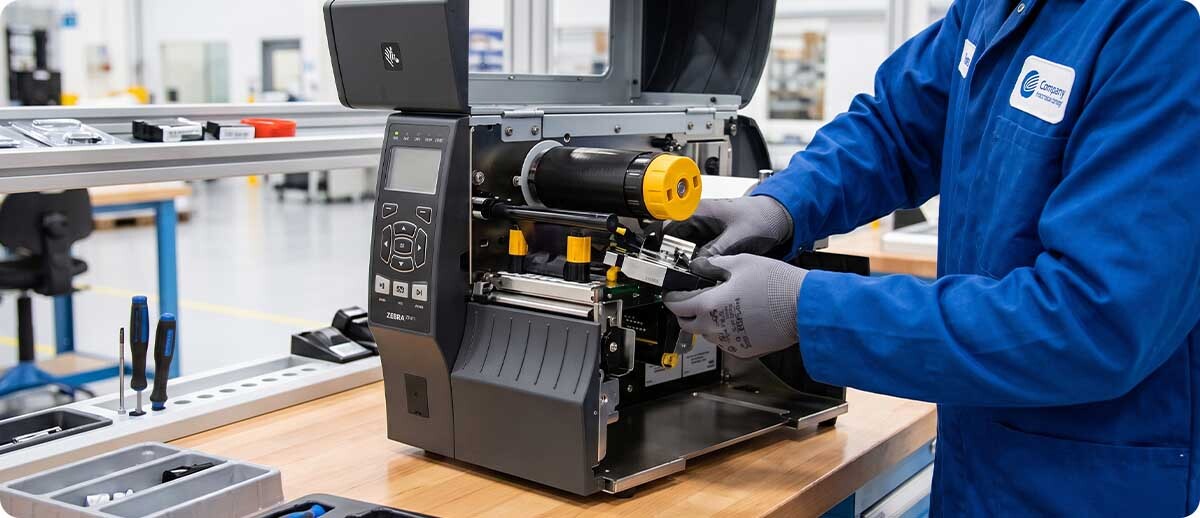
By Thermal Printer Supplies | Printer Maintenance | Printhead Replacement Guide
Thermal printer maintenance conversations tend to split into two categories: cleaning procedures and replacement procedures, treated as separate topics. The problem with that split is that the most operationally valuable question sits between them, how do you know which one applies right now? A white streak across every label could mean a dirty printhead, a damaged heating element, a media issue, or a ribbon problem. Diagnosing correctly before ordering a part is the difference between a 5-minute fix and a $300 purchase that doesn't solve the problem.
This guide covers the full printhead decision cycle: what the failure symptoms actually mean, when cleaning resolves them versus when it doesn't, what a genuine end-of-life printhead looks like, how to budget for replacement across Zebra's and Honeywell's most common industrial and desktop printer lines, and what the OEM vs. alternative printhead question actually means for cost and warranty. Part numbers and price tiers are included throughout.
How Thermal Printheads Fail — And What Each Symptom Means
Printhead failure is rarely sudden and rarely ambiguous if you know what to look for. Most degradation patterns announce themselves through specific print quality symptoms before the printhead stops working entirely. Each pattern points to a different root cause, and a different response.
White Vertical Streaks Running the Length of the Label
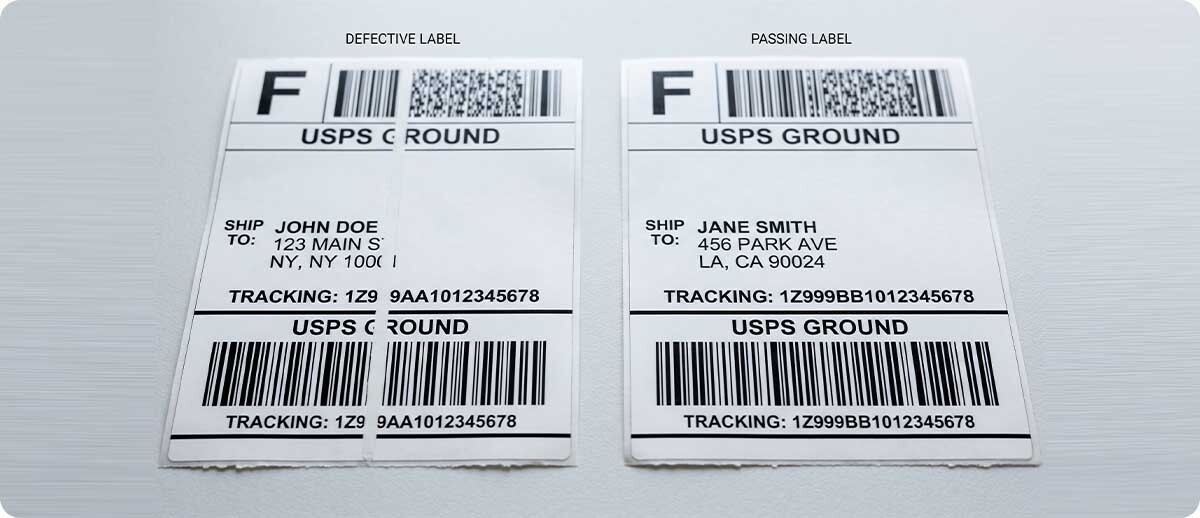
A single consistent white streak in the same position on every label is the most common printhead symptom, and it's the one most likely to be cleaned rather than replaced. The streak indicates that one or more heating elements are producing no heat. The cause is usually debris, adhesive residue, ribbon wax, dust, or paper fiber, sitting on the printhead surface over those elements, acting as an insulator. An IPA cleaning wipe across the printhead face clears the debris. If the streak disappears after cleaning, the printhead is fine. If the streak returns immediately after cleaning on clean media with a fresh ribbon, the heating element itself has failed and the printhead needs replacement.
Multiple streaks appearing simultaneously, particularly if they appear suddenly rather than progressively, suggest either severe debris accumulation (clean first) or that the printhead has exceeded its service life and multiple elements are failing together.
Faded or Washed-Out Print Across the Full Label Width
Uniform fading across the entire print width, not streaks, but overall light print, is almost never a printhead problem. It's a settings or supplies mismatch. Before touching the printhead, check three things: darkness setting (too low), print speed (too fast for the ribbon/media combination), and ribbon type (wax ribbon on a surface that needs wax-resin). Increasing the darkness setting by two increments and running a test print resolves this the majority of the time. If fading persists after correcting settings, the printhead may have significant debris accumulation reducing thermal transfer efficiency, clean first, then reassess.
Uneven Print Darkness Across the Label Width
Labels that print darker on one side and lighter on the other indicate a pressure or alignment problem more often than a printhead problem. Check printhead pressure adjustment, most industrial printers (ZT411, ZT610, PM45) have adjustable printhead pressure screws for left and right sides. Uneven pressure produces uneven darkness. If pressure is set correctly and the problem persists, uneven debris accumulation on the printhead or uneven wear from media edge contact may be the cause, clean thoroughly and inspect the printhead surface visually for physical scoring or discoloration.
Random Voids or Spots (Not a Consistent Line)
Irregular voids that appear in random positions on labels, not a consistent streak, typically indicate debris that is moving across the printhead face during printing, or intermittent media contact problems. Clean the printhead and the platen roller. Also check the media path for label debris, torn backing paper fragments, or label adhesive deposits that have built up on the platen roller and are intermittently transferring to the label. The platen roller is a frequently overlooked contributor to print quality problems, a dirty platen roller can create sporadic voids that appear to be a printhead problem.
Physical Damage — Scratches, Scoring, or Discoloration on the Printhead Face
Visible physical damage to the printhead surface, scratches from tools during label loading, scoring from abrasive media, or discoloration indicating a burn event, is a genuine replace indicator. Cleaning will not restore a physically damaged printhead. The heating element array is a precision component; once the surface layer is compromised, print quality degradation is permanent and progressive. Replace the printhead.
Error Messages Specifically Referencing the Printhead
Modern Zebra and Honeywell industrial printers perform printhead diagnostics at startup and during operation. A "PRINTHEAD FAULT," "HEAD COLD," or "HEAD HOT" error that persists after allowing the printer to reach normal operating temperature, and that isn't resolved by a calibration cycle or firmware reset, is a hardware indicator. Check the Zebra or Honeywell service manual for the specific error code meaning before ordering a replacement, some of these errors indicate a wiring or connector issue rather than printhead failure. Reseating the printhead connector is worth attempting before replacement.
Clean or Replace: The Decision Framework
| Symptom | First Response | Replace If… |
|---|---|---|
| White vertical streak, consistent position | Clean with IPA wipe | Streak returns immediately on clean media |
| Multiple streaks appearing suddenly | Clean thoroughly | Streaks persist after thorough cleaning |
| Faded / light print overall | Adjust darkness/speed settings; check ribbon match | Fading persists after settings correction and cleaning |
| Uneven darkness left-to-right | Adjust printhead pressure screws | Physical wear visible on printhead surface |
| Random spots or voids | Clean printhead AND platen roller | Problem persists with clean media and clean platen |
| Visible scratches or scoring on printhead face | Replace — cleaning will not restore physical damage | N/A |
| Persistent printhead error message after reset | Reseat connector; check error code in service manual | Error persists after connector reseat and firmware cycle |
Printhead Lifespan and Volume Budgeting
Thermal printhead lifespan is measured in linear inches printed, not in time, a printhead on a printer running 50,000 inches per day wears out significantly faster than one running 5,000 inches per day, regardless of how many months pass. Zebra warrants its replacement printheads for 1 year or 1 million inches printed, whichever comes first. That 1-million-inch figure is the warranty floor, not the expected service life, well-maintained printheads on clean, matched media with proper darkness settings regularly exceed the warranty figure by a significant margin.
To estimate your replacement cycle, calculate your daily print volume in linear inches: number of labels per day multiplied by label length in inches. A printer producing 1,000 labels per day at 4 inches each prints 4,000 linear inches daily — 1 million inches at that rate takes approximately 250 operating days (roughly one year). A printer producing 5,000 labels per day at the same length prints 20,000 linear inches daily, 1 million inches at that rate takes approximately 50 operating days. The second printer needs its printhead budget reviewed quarterly, not annually.
Factors that accelerate printhead wear beyond the volume baseline: running darkness settings higher than necessary (more heat per element per pass), using abrasive or low-quality media (higher friction against the printhead face), using an undersized ribbon that allows media edge contact against the printhead, and infrequent cleaning (debris acts as an abrasive). Each of these can reduce effective printhead life by 20-40% from the baseline for a given print volume.
Zebra Printhead Replacement — Part Numbers and Cost Tiers
TPS carries both OEM (genuine Zebra) and alternative (compatible) printheads for Zebra's most common industrial and desktop printer lines. OEM printheads are sourced directly from Zebra Technologies, factory sealed, 1-year warranty, guaranteed genuine. Alternative printheads are manufactured to compatible specifications at a lower price point. The right choice depends on your warranty situation and volume requirements, covered in detail in the OEM vs. alternative section below.
Zebra ZT411 / ZT410 Printhead
Industrial 4" — OEM and Alternative available
P1058930-009-B — OEM 203dpi | P1058930-010-B — OEM 300dpi
P1105147-300 — OEM 203dpi RFID variant (ZT411R)
DKN-104-8ZT410 / P1058930-009-PB — Alternative 203dpi (lower cost option)
The ZT411's printhead is a field-replaceable part — no tools required beyond the printhead latch. At high daily volume (5,000+ labels/day), budget one replacement per 6-12 months depending on media quality and darkness settings. The 300 DPI printhead (P1058930-010-B) is priced slightly higher than the 203 DPI due to tighter manufacturing tolerances.
Zebra ZT420 / ZT421 Printhead
Industrial 6" — OEM available
P1058930-012 — OEM 203dpi
The 6-inch ZT420/ZT421 printhead covers wider label formats — pallet labels, wide compliance labels, and wide-format shipping labels. At 6 inches wide, the printhead covers more surface area per pass, which can accelerate edge wear if ribbon width isn't matched correctly to the media width. Always run ribbon at or slightly wider than the media to protect the printhead edges.
Zebra ZT610 Printhead
Industrial 4" — OEM available in 300 and 600 DPI
P1083320-011 — OEM 300dpi
P1083320-012 — OEM 600dpi
The ZT610 600 DPI printhead is the highest-cost printhead in the Zebra line for standard-format industrial printers — the manufacturing tolerance required for 600 DPI element spacing is significantly tighter than 203 or 300 DPI. At 600 DPI, the elements are 0.042mm apart, making physical alignment and element quality critical. Budget accordingly for high-volume operations running 600 DPI: the replacement cost is meaningfully higher than the 203 or 300 DPI equivalent, and maintaining the printhead in optimal condition (cleanliness, correct darkness setting, matched media) has a larger financial payoff.
Zebra GK420D / GX420D / ZP450 / ZP550 Printhead
Desktop / Legacy — Alternative available
SDP-104-832-AM102 — Compatible 203dpi (lower cost alternative)
For operations running legacy Zebra desktop printers that are outside manufacturer warranty and support, alternative printheads provide a cost-effective maintenance path without the need to retire otherwise functional hardware. The GK420D and GX420D remain common in lower-volume desktop applications — compatible printheads keep these printers productive at a fraction of OEM cost.
Honeywell Printhead Replacement — Part Numbers and Cost Tiers
TPS carries OEM and alternative printheads for Honeywell's PC43, PD43, and PX940 printer lines, the most common Honeywell desktop and industrial models in active fleet use. Honeywell printheads are field-replaceable on all current models and follow the same diagnostic logic as Zebra printheads: clean first, replace when cleaning fails to resolve the symptom.
Honeywell PC43 / PD43 Printhead
Desktop 4" — OEM available in 203 and 300 DPI
201-031-420 — OEM 203dpi (PC43)
225-783-001 — OEM 203dpi (PC43/PD43)
225-784-001 — OEM 300dpi (PC43)
The PC43 and PD43 are Honeywell's most widely deployed desktop printers — field-replaceable printheads with a straightforward swap procedure. For operations running both Zebra and Honeywell desktop printers, the maintenance schedule and cost budgeting logic is the same: volume-based replacement cadence, with cleaning extending life between replacements.
Honeywell PX940 Printhead
Industrial 4" — OEM and Alternative available in 203 and 300 DPI
50151886-001 — OEM 203dpi
50151887-001-PB — Alternative 300dpi (lower cost option)
The PX940 is Honeywell's industrial workhorse — the printhead is the primary maintenance component in high-volume deployments. The 203 DPI OEM (50151886-001) is the correct specification for standard shipping, receiving, and inventory label applications. For operations that have transitioned to the PX940 from legacy Datamax or Intermec industrial printers, TPS carries a wide range of compatible printheads for those legacy platforms as well.
OEM vs. Alternative Printheads: When Each Makes Sense
TPS carries both OEM and alternative (compatible) printheads for many Zebra and Honeywell models, and the right choice isn't always OEM. Here's how to think about it:
Choose OEM when: The printer is under manufacturer warranty or active OneCare contract. Zebra's warranty explicitly states that use of non-Zebra supplies, including printheads, can void the printer warranty. If your ZT411 or ZT610 is under an active warranty or OneCare contract that covers printhead replacement, installing a third-party printhead voids that coverage. OEM is also the correct choice for applications where print quality consistency is a compliance or quality requirement — pharmaceutical labeling, GS1 compliance, or barcode verification, where any deviation from OEM performance specification introduces risk.
Choose alternative when: The printer is out of warranty, the application is standard commercial labeling without strict quality verification requirements, and volume is high enough that printhead cost is a meaningful budget line. Alternative printheads can deliver meaningful cost savings on high-volume fleets of legacy or out-of-warranty printers, the GK420D, GX420D, ZP450, and older desktop models being the primary examples. TPS sources its alternative printheads from reputable compatible parts suppliers and stands behind them. They are not appropriate for warranted equipment or compliance-critical applications.
The Zebra certified supplies program: Zebra offers a printhead warranty extension for operations using Zebra-certified label media and ribbons. Using Zebra-certified supplies reduces the risk of media-induced printhead wear — the abrasion and debris profiles of certified media are validated against Zebra's printhead materials. For operations running high daily volume on OEM Zebra printheads, the certified supplies program is worth evaluating as part of an overall printhead lifecycle cost discussion.
Frequently Asked Questions: Printhead Replacement
How often should I clean my printhead versus replacing it?
Clean at every roll change, or every 1-2 rolls at minimum, as routine maintenance. Replacement is triggered by symptoms that persist after thorough cleaning, not by a scheduled interval. A printhead that is cleaned consistently and runs on quality-matched media may last well beyond the warranty period. A printhead that is never cleaned may fail in a fraction of the expected service life. The cleaning schedule determines how often you need to make the replace decision, consistent cleaning pushes that decision further out.
Can I install the replacement printhead myself, or do I need a technician?
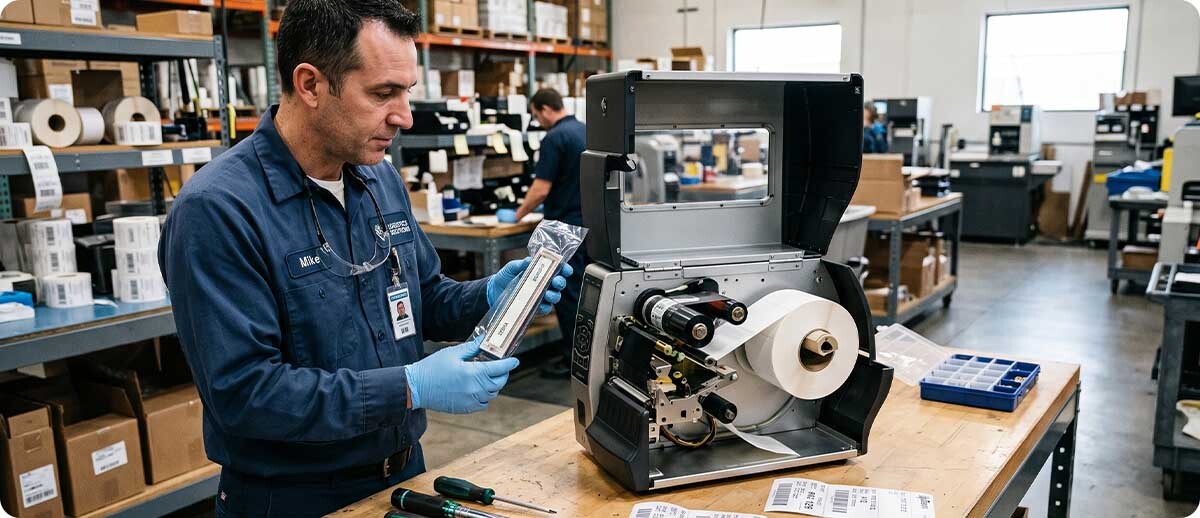
On virtually all current Zebra and Honeywell industrial and desktop printers — ZT411, ZT610, ZT421, PC43, PD43, PX940, the printhead is designed as a field-replaceable unit. No special tools are required beyond careful handling. The critical rules: power the printer off completely before handling the printhead, never touch the heating element surface with bare fingers (skin oils accelerate element degradation), and follow the specific installation procedure in the printer's service guide to seat the printhead connector correctly before powering on. A properly installed OEM printhead does not require calibration, the printer calibrates automatically on the first print job after replacement.
My printer is showing a white streak but it's only one year old. Should I still have to replace the printhead?
A single white streak on a one-year-old printer is almost always a cleaning issue, not a failure. Clean the printhead with an IPA wipe and run a test label. If the streak clears, the printhead is fine, increase your cleaning frequency. If the streak persists on clean media with a fresh ribbon after thorough cleaning, and the printer is under warranty, contact your supplier, a genuine element failure within the warranty period is a warranty claim. Zebra's printhead warranty (1 year or 1 million inches from purchase) covers manufacturing defects, not wear from inadequate cleaning or mismatched media.
Does printhead DPI change when I replace the head? Can I upgrade from 203 to 300 DPI?
Printhead DPI is a hardware specification determined at the printer chassis level — the printer's firmware is calibrated for a specific DPI at manufacture. You can only install the same DPI printhead that the printer was originally configured for. Installing a 300 DPI head in a printer configured for 203 DPI will not work correctly and is not supported. The exception is Zebra's officially documented conversion kits for specific models (like the ZT411), which include not just a new printhead but all associated hardware and firmware reconfiguration steps required for the DPI change.
How do I know if a printhead is genuine Zebra or a counterfeit?
Genuine Zebra printheads purchased from authorized distributors like TPS come factory sealed in Zebra-branded packaging with a part number label matching the SKU ordered. Counterfeits typically arrive in generic packaging, with no Zebra branding on the component itself, and often at a price significantly below the standard OEM market price. TPS sources OEM Zebra printheads directly from Zebra Technologies, all OEM printheads ship 100% genuine, factory sealed, and new. If you've received a printhead from any supplier that arrived in plain packaging without Zebra branding, treat it as suspect.
Whether you're troubleshooting a print quality problem, budgeting a replacement cycle for a high-volume fleet, or trying to figure out if your situation calls for OEM or an alternative, our team knows these printers and can point you to the right part quickly. Fill out the form below and we'll help you get your printer back to full output without guessing.