
Lines in Your Barcode Labels? Don’t Blame the Printhead Until You Read This...
Posted by Thermal Printer Supplies on Jul 28th 2025
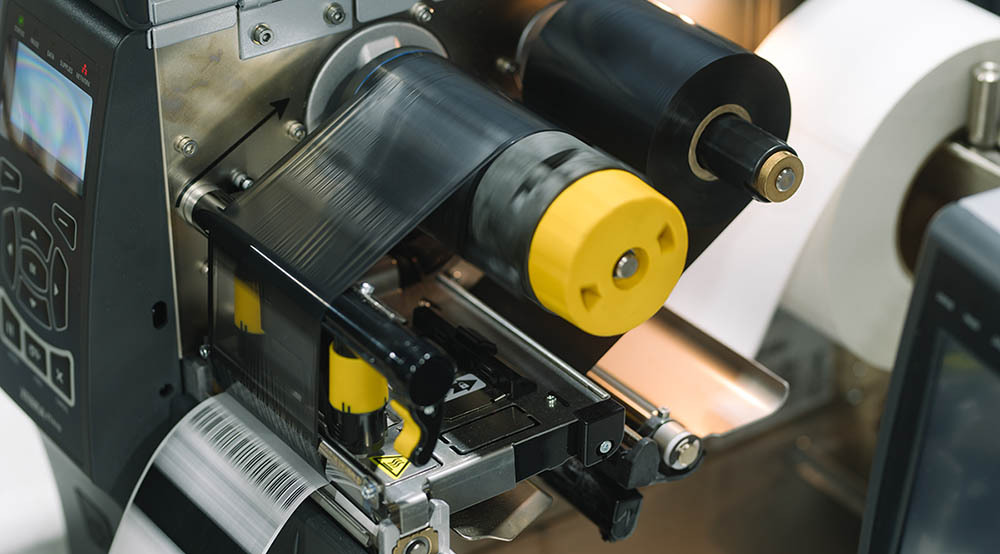
If you’re seeing diagonal jagged lines in your barcode labels, or experiencing poor label printing quality from your thermal barcode printer, there’s a good chance you’re dealing with a common yet frustrating problem: ribbon wrinkle.
In This Guide, We’ll Explore:
- What is "ribbon wrinkle"?
- Common symptoms of ribbon wrinkle vs. other issues.
- The most frequent causes.
- A step-by-step solution plan to resolve the problem.
- And how ThermalPrinterSupplies.com, the U.S. leader in thermal printing solutions, can help if you're still stuck.
What Is Ribbon Wrinkle?
Ribbon wrinkle occurs in thermal transfer barcode printers when the ribbon creases or folds as it moves between the printhead and label media. Instead of laying flat and feeding smoothly, the ribbon wrinkles unevenly — causing ink to transfer inconsistently to your labels.
This is not to be confused with straight vertical lines, which are typically caused by dead heating elements in the printhead. Ribbon wrinkle produces jagged, diagonal, or irregular broken lines — especially noticeable in solid black areas or barcode patterns.
Common Symptoms of Ribbon Wrinkle
- Diagonal jagged lines across barcodes or solid black areas.
- Incomplete barcode prints, leading to scan failures.
- Light, faded, or streaky text or graphics.
- Distorted or shadowed characters.
- Frustration when "everything looks fine" mechanically, yet print quality is poor.
6 Common Causes of Ribbon Wrinkle (and What They Really Mean)
- Uneven or Incorrect Printhead Pressure
If the pressure from the printhead isn't evenly distributed across the label width, the ribbon may crease under uneven force. This leads to unpredictable ink transfer and jagged print results, especially near the edges. - Incorrect Ribbon Width Relative to Label Width
If the ribbon is significantly wider or narrower than your label, it won’t track properly. A ribbon that's too narrow causes it to slip or not cover the label fully. A ribbon that’s too wide may bunch up along the platen roller, causing wrinkling. - Imbalanced Ribbon Supply and Take-Up Tension
Ribbon tension is controlled by the printer’s feed and take-up spools. If these are too loose, the ribbon may sag and wrinkle. If too tight, the ribbon may stretch, wrinkle, or break. - Excessive Print Darkness (Heat Setting)
High heat softens the ribbon unnecessarily, increasing its vulnerability to deformation. This often leads to wrinkling under pressure or tension. Excessive heat also accelerates ribbon wear and can shorten printhead life. - Dirty or Worn Platen Roller
The platen roller (the rubber roller underneath the labels) supports consistent pressure and feeding. If it’s dirty with adhesive residue or paper dust, or worn out with flat spots, it disrupts ribbon movement, causing creasing. - Printhead Misalignment
If the printhead isn't aligned correctly — even by a small margin — it can apply uneven pressure across the ribbon width, leading to folds and wrinkles in specific areas.
How to Diagnose & Fix Ribbon Wrinkle: Step-by-Step Guide
If you're experiencing diagonal lines or poor-quality barcode prints, follow this actionable checklist to isolate and solve the issue.
✅ Step 1: Inspect the Ribbon Path and Look for Wrinkles
Open your printer and visually inspect the ribbon path. Look for obvious creases, folds, or bunching in the ribbon between the printhead and take-up spool.
If wrinkles are visible during printing, your issue is likely ribbon wrinkle.
✅ Step 2: Verify and Adjust Printhead Pressure
Most printers have pressure adjustment knobs (often left and right sides). Use test labels to adjust for even pressure across the width of the label. Too much pressure = wrinkles. Too little = faint printing.
✅ Step 3: Check Ribbon and Label Width Compatibility
Ensure your ribbon is slightly wider than your label (⅛" to ¼" wider on each side is optimal).Using a ribbon that is too narrow or too wide can cause misalignment and wrinkling.
✅ Step 4: Adjust Ribbon Tension
Check the ribbon supply spindle and take-up spindle. Ribbon should be taut, not sagging or overly tight. Some printers allow manual tension adjustments; others auto-tension — check your printer’s manual.
✅ Step 5: Reduce the Darkness Setting
Access your printer settings (on the printer or via driver/software). Lower the heat or darkness level incrementally until print quality remains good but ribbon wrinkle is minimized. Overheating is one of the easiest fixes to implement.
✅ Step 6: Inspect and Clean the Platen Roller
Open the printhead and remove labels and ribbon. Use isopropyl alcohol and a lint-free cloth to clean the roller. If it’s worn flat, cracked, or hardened — replace the platen roller. It’s a common but overlooked issue.
✅ Step 7: Realign the Printhead
Visually check the printhead bracket and ensure it's locking evenly across the label width. Refer to your printer’s service guide for alignment procedures.
On some models, misalignment may require a trained technician.
When All Else Fails…
If you've gone through the checklist and are still struggling with diagonal lines in your barcode label or poor label printing, it may be time to bring in the experts.
ThermalPrinterSupplies.com Is Here to Help! We are the U.S.’s leading thermal printing equipment and supply expert, ThermalPrinterSupplies.com has:
- Decades of experience troubleshooting thermal printer issues.
- Deep expertise in barcode printer repair and maintenance.
- A full inventory of replacement platen rollers, ribbons, and printheads.
- Access to OEM support from Zebra, Honeywell, TSC, SATO, and more!
Let our team help you eliminate ribbon wrinkle issues and get your print quality back to where it should be — crisp, clean, and scannable.
Ribbon wrinkle can derail productivity and lead to costly barcode scanning errors. The good news? With the right diagnostic approach, most causes can be identified and fixed in-house.
Use this Guide to Work Through the Most Likely Issues:
- Check your printhead pressure
- Ensure proper ribbon width
- Balance ribbon tension
- Dial in heat settings
- Clean or replace your platen roller
- Verify printhead alignment
If you still need help, ThermalPrinterSupplies.com is your go-to partner for resolving thermal printer issues quickly and effectively.
Talk to an Expert